For families who school at home
Plan three months
of homeschool in three minutes
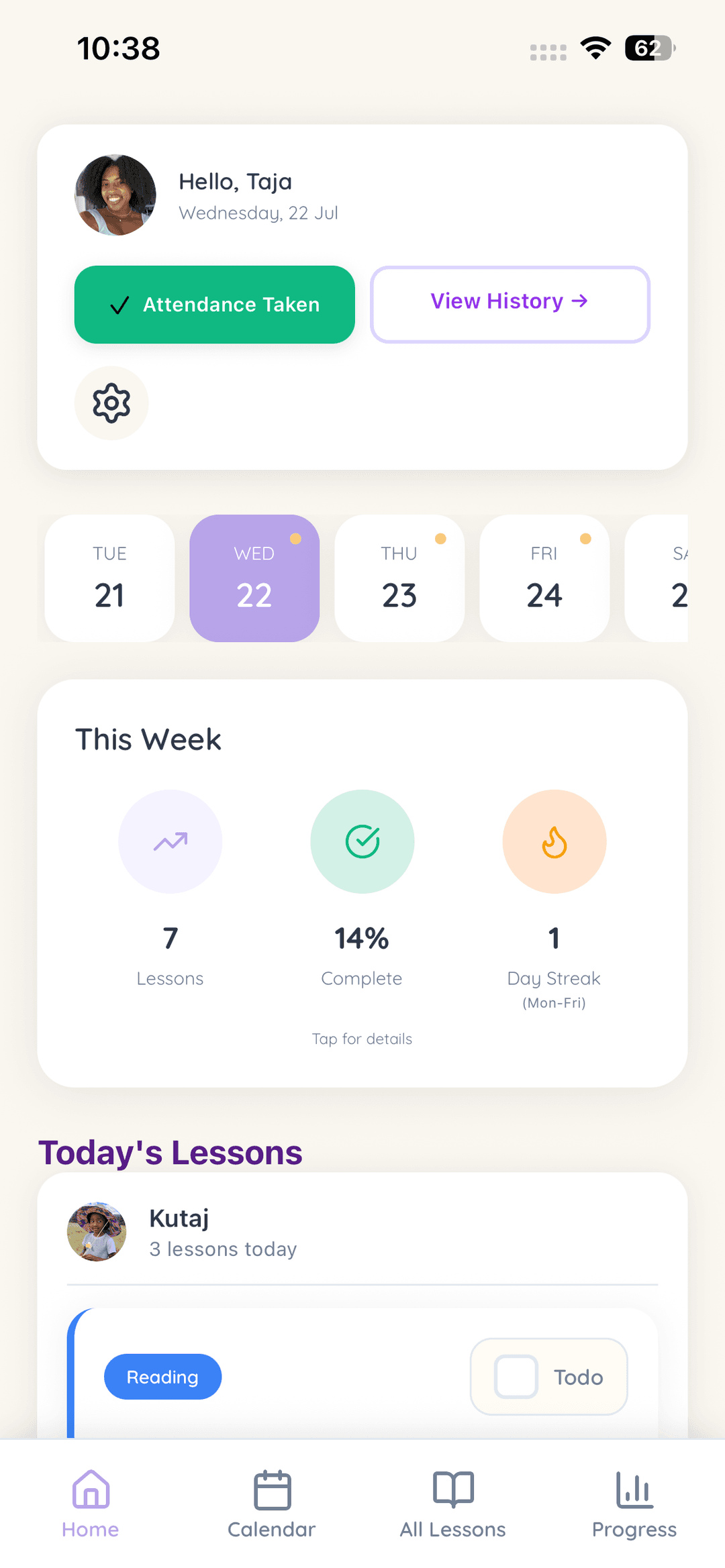
Photograph your curriculum’s contents page and Homeschool Hub turns it into a term of scheduled lessons. Then it keeps the records — attendance, transcripts, reports — for whenever your state asks.
30-day free trial. No credit card.
How it works
Photograph your curriculum.
Get a term of lessons.
Photograph the contents page
Open whatever curriculum you're using and take a photo. Homeschool Hub reads the chapter titles.
Pick your range
Start here, end there, these days of the week. Your school schedule and breaks are already accounted for.
That's the term
Every lesson scheduled and on the calendar, ready to tick off as you go.
Works with anything — Saxon, Apologia, Story of the World, the workbook you found at a used-book sale. And the community library means someone may have already scanned the book you’re holding.
Records
It’s June,
and someone wants
your records
The state asks how many days you schooled. A co-op wants a transcript. Your teenager starts filling in applications.
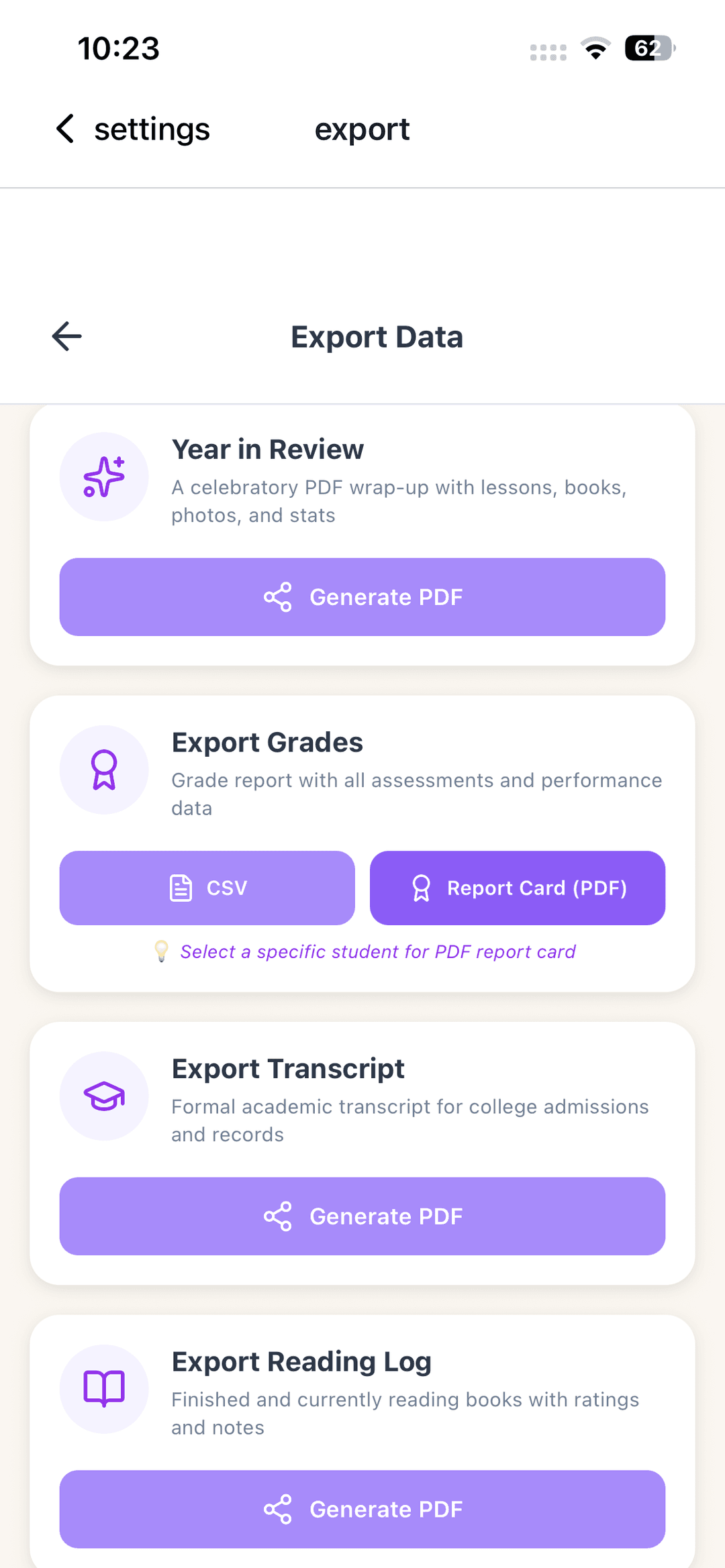
Academic transcript
Subjects, curricula, lessons completed, grades. Formatted for state submissions, umbrella schools and college applications.
Year in review
Lessons completed, books read, school days logged, photographs from the year. Something worth printing.
Report cards, attendance, reading logs
PDF or CSV, whenever you need them. All of it pulls from what you've already logged.
Every day
Five seconds a day
Attendance
One tap from the home screen, per child. Forgot yesterday? Go back and fix it. Most states require a minimum number of instructional days, and reconstructing them from memory in June is miserable.
Lessons
Subject, what you covered, done. Leave the title blank and one gets filled in for you.
Reading log
Add a book, photograph the cover. Read-aloud or independent, pages, minutes, a rating when they finish.
Photos
Attach them to lessons as you go. They turn up in the year in review.
Your family
Unlimited students.
Every child, separately.
Each with their own subjects, lessons, attendance, goals and reports. Add your own subjects when the standard list doesn’t fit — Latin, logic, horse riding, whatever your year actually looks like.
Your school week is yours too. Four days, year-round, Tuesdays off — set it once and the calendar, streaks and reminders all follow it.
$4.99 a month
or $49.99 a year
About $4.16 a month if you pay yearly. Most families choose annual, because a school year is a year.
Every feature included. No tiers, no per-child pricing, no add-ons.
30 days free to start, no card required. Everything you log stays yours — if you stop subscribing, nothing is deleted.
Questions
Things people ask
How does the curriculum scanning actually work?+
You photograph the contents page. The app reads the chapter titles and turns them into a list of lessons. You choose the date range and which days you school, and it schedules them across the calendar.
What happens to my records if I cancel?+
Nothing is deleted. Your data stays in your account and becomes read-only until you subscribe again.
Can I use it for more than one child?+
Yes, unlimited — each with their own records and reports.
Does it work for high school?+
Yes. The transcript export is built for exactly that.
Is my children's information private?+
Your records are yours. We don't sell data and we don't show ads. See the privacy policy for the detail.
Which states does it work for?+
All of them — it tracks what you do and exports it in formats that suit whatever your state asks for. Requirements vary, so check yours.